
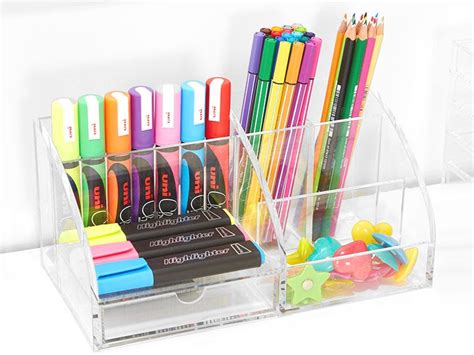
A hybrid workspace needs to support both digital work and the paper tasks that still matter. A laptop may handle meetings and documents, while notebooks, printed references and handwritten planning remain useful for many people. Ryman carries stationery, office supplies, technology and furniture, so the strongest desk setup comes from assigning a clear function to each tool instead of filling the surface with items that duplicate one another.
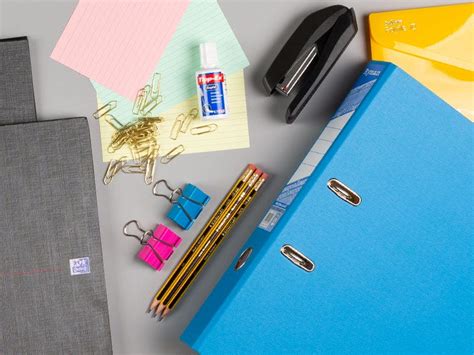
Separate the Desk Into Working Zones
The main screen and keyboard should occupy the central working area because they are used most often. A notebook or planner can sit on the dominant-hand side with enough clear space for writing. Charging cables, headphones and less frequently used supplies can move toward the back or into drawers. This simple zoning prevents paper from covering the keyboard and keeps digital accessories from spreading across the entire desk.
Someone organising a workspace through Ryman can choose desk organisers, notebooks, pens and storage according to how often they are used. The aim is not to buy a matching set of containers. It is to keep high-frequency tools within reach and move occasional items elsewhere. A stapler used once a week does not need the same priority as a pen used every hour.
Furniture dimensions also matter. A deep desk may support a separate monitor and paper area, while a compact table may need vertical storage or a monitor stand to free surface space. The user should measure the available room before adding shelves or drawers so storage does not block movement or create another crowded area beside the desk.
Use Paper for Tasks That Benefit From Visibility
Digital tools are useful for search, sharing and reminders, but paper can still help with short planning cycles. A written daily list can remain visible without opening another application, and a notebook can capture meeting notes without adding another window to the screen. The person should choose where paper has a genuine advantage instead of printing information automatically.
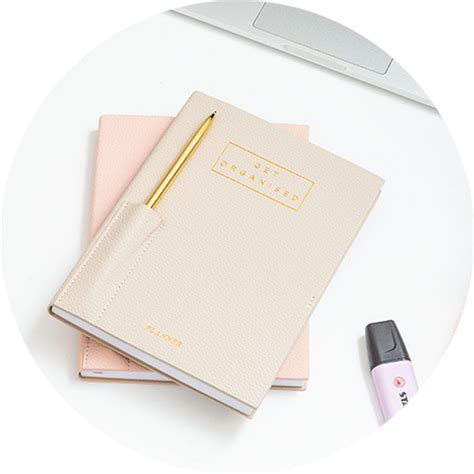
The stationery range at Ryman includes planners, notebooks, revision tools and filing products that can support this visible layer of work. One notebook for meetings and one planner for priorities may be enough. Too many separate pads can fragment information and make it harder to remember where a note was written.
Paper should also have an exit route. Documents that need action can sit in one tray, references can be filed and unnecessary pages can be recycled or securely destroyed when appropriate. Without a simple rule, the desk becomes a permanent storage area for decisions that were never made. Lighting should support both screen and paper work. A desk lamp can reduce the need to rely on bright overhead lighting, but glare should not reflect directly from the monitor or glossy pages. The user should also leave enough clear space to place a document temporarily without moving the keyboard every time a paper task begins. A small document stand can also help when information needs to be read from paper while typing, reducing repeated neck movement and keeping the main writing area clear.
Checks for a More Functional Hybrid Desk
- The screen, keyboard and pointing device should have a clear central zone with enough room for comfortable posture.
- One notebook or planner should have a defined purpose rather than competing with several half-used pads.
- A Ryman organiser should keep frequently used stationery visible without turning the desktop into storage for every supply.
- Charging cables should be routed so they do not cross the writing area or create trip hazards.
- Paper should move regularly into action, filing, recycling or secure disposal instead of remaining in permanent piles.
Review the Setup When Work Patterns Change
A desk that works during a quiet project may become awkward when more video meetings or paper-heavy tasks appear. The user should review the setup when the role changes rather than adding equipment automatically. A second monitor, headset stand or document holder may solve a real problem, but only if the problem occurs often enough to justify the space.
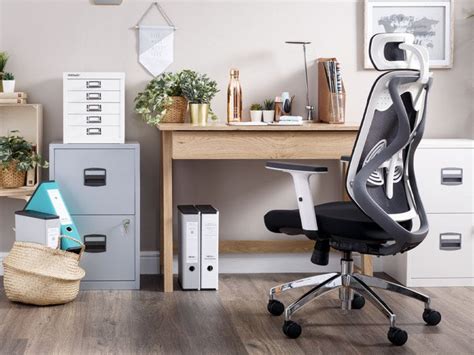
Consumables need similar discipline. Pens, printer paper, labels and notebooks should be replenished before they run out but do not need to be stored in excessive quantities at the desk. Someone managing office supplies can keep a small working stock nearby and place bulk supplies in a separate cupboard. This preserves a calm surface while keeping the routine dependable.
A productive hybrid desk is less about decoration and more about reducing friction. Ryman can supply both traditional stationery and modern office equipment, but the best combination depends on the person’s actual work. When digital tools handle sharing and storage, paper handles selected visible tasks and every item has a defined place, the workspace can support focused work without becoming crowded by duplicate systems.



Leave Your Comment